

Sales teams lose valuable time when agents manually dial numbers, wait for answers, update notes, and plan the next follow-up. For growing businesses in Saudi Arabia, this manual process can slow sales activity and reduce conversion opportunities. What Is Auto Dialer Software and How It Boosts Sales Productivity explains how companies can automate outbound calling, increase agent efficiency, improve follow-up, and connect calls with CRM data. This guide shows how auto dialers work, which features matter, and how to implement the right solution inside a scalable contact center environment.
Turn Customer Communication into a Smarter Growth System
Let ICS help you choose the right CRM, cloud contact center, WhatsApp bot, and marketing automation solutions for your business.
What Is an Auto Dialer and Why Modern Sales Teams Rely on It
Auto dialer software is a system that automatically calls phone numbers from a prepared customer list. When a customer answers, the call is connected to an available sales agent or contact center representative.
The main goal is simple: reduce manual dialing and help agents spend more time talking to customers instead of waiting, copying numbers, or updating spreadsheets.
Modern sales teams rely on auto dialers because they need speed, structure, and visibility. Instead of managing outbound calls manually, companies can run organized campaigns, assign calls to agents, record results, and measure performance.
For medium and large companies in Saudi Arabia, auto dialer software is often part of wider Contact Center Solutions, Call Center Solutions for Businesses, and Cloud Contact Center environments that support sales, customer service, and operations teams.
To manage customer data, follow-ups, and sales opportunities more effectively, companies can rely on a customer relationship management system that connects teams and improves the customer journey.
Manual Dialing vs Auto Dialing: Time and Productivity Impact
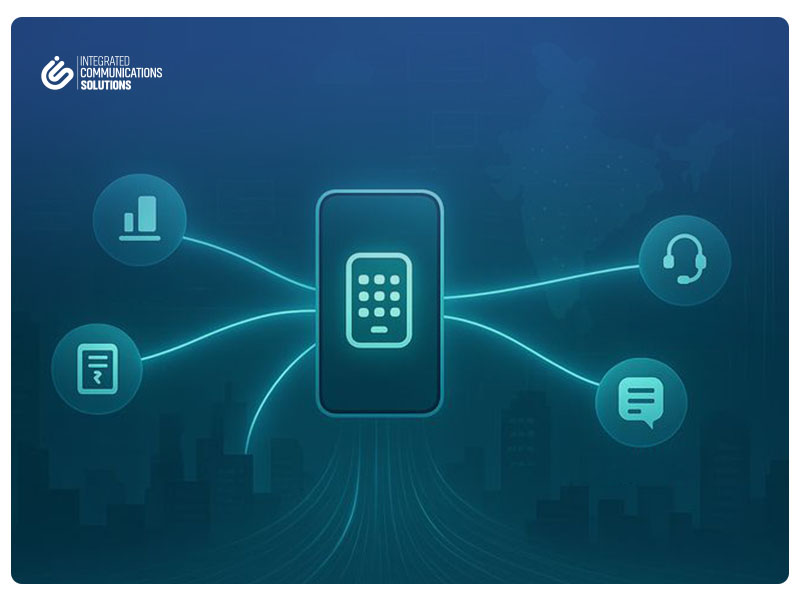
Manual dialing may work for a small team with a limited number of contacts. But when a company needs to call hundreds or thousands of leads, manual work becomes inefficient.
In manual dialing, the agent usually has to open the list, dial the number, wait for the customer to answer, write notes, update the status, and then move to the next number. These steps consume time and increase the chance of human error.
With auto dialing, the system manages many of these tasks. It calls the next number automatically, connects answered calls to agents, records call outcomes, and can update the customer record inside the CRM.
The impact is clear:
- More calls can be made in less time.
- Agents spend more time in real conversations.
- Follow-up becomes easier to manage.
- Managers can track results with accurate reports.
- Sales campaigns become more organized and measurable.
This makes auto dialer software a practical tool for companies that want to improve productivity without immediately increasing team size.
Businesses looking to modernize customer service should explore the key cloud contact center benefits before investing in a new communication system.
Auto Dialer Types: Power, Predictive, and Progressive
Not all dialers work in the same way. Choosing the right type depends on your campaign size, team capacity, data quality, and customer experience goals.
Power Dialer
A Power Dialer calls one number at a time for each available agent. Once the call ends, the system moves to the next number. This type is suitable when your team needs speed but still wants good control over each call.
Predictive Dialer
A Predictive Dialer calls multiple numbers at the same time and uses data to predict when agents will become available. It is useful for large outbound campaigns with high call volume. However, it must be configured carefully to avoid abandoned calls or customer waiting time.
Progressive Dialer
A Progressive Dialer shows customer information to the agent before the call starts. This is useful when the conversation needs context, such as proposal follow-up, account renewal, or high-value leads.
For Saudi businesses, the best option depends on the balance between productivity and customer experience.
A reliable cloud contact center software helps businesses manage inbound and outbound calls, monitor team performance, and improve customer support from one platform.
How Dialers Multiply Productivity: Practical Examples
Auto dialers multiply productivity because they remove repeated manual tasks from the agent’s day.
For example, a sales agent using manual dialing may spend a large part of the day dialing numbers and waiting for answers. With an auto dialer, the system handles dialing and moves quickly to the next available contact.
In a practical sales campaign, the system can:
- Call leads from a selected list.
- Skip unanswered calls and schedule retries.
- Show customer details before or during the call.
- Record the call result.
- Create a follow-up task.
- Update the lead stage in the CRM.
This allows sales teams to focus on the quality of the conversation, not the mechanics of calling.
For companies running outbound campaigns in Riyadh, Jeddah, Dammam, or across Saudi Arabia, this can improve speed, consistency, and sales discipline.
Before choosing the right communication solution, it is important to understand the cloud contact center vs traditional call center comparison and how each option affects cost, flexibility, and customer experience.
Must-Have Features in Auto Dialer Software
A strong auto dialer should offer more than automatic calling. It should support real business control.
Important features include:
- Call Routing
Calls should be distributed to the right agent based on availability, campaign, skill, or customer type. - Call Recording
Recording helps with quality assurance, training, dispute review, and service improvement. - Reporting Dashboards
Managers need reports on call volume, answer rate, conversion, agent performance, and campaign results. - Live Monitoring
Supervisors should be able to monitor active campaigns and support agents when needed. - Retry Rules
The system should manage callbacks for busy numbers, unanswered calls, or failed attempts. - CRM Integration
Calls should connect with customer profiles, lead stages, notes, and follow-up tasks.
These features make auto dialer software part of a complete Contact Center System for Businesses, not just a calling tool.
Companies that handle a high volume of customer calls can improve response speed and service quality by using a cloud contact center to manage conversations more efficiently.
Auto Dialer + CRM: Turning Calls into Pipeline and Deals
The real value appears when auto dialer software is connected with a CRM System for Businesses.
When a call is made, the agent can see the customer profile, previous interactions, lead source, sales stage, and notes. After the call, the result can be saved automatically inside the CRM.
This helps sales teams turn calls into structured pipeline activity.
For example:
- A new call result can update the lead status.
- A successful conversation can create a sales opportunity.
- A missed call can schedule an automatic retry.
- A proposal discussion can create a follow-up reminder.
- A closed deal can be linked to campaign performance.
This is why many companies look for Integrated CRM Solutions and Customer Management Solutions when implementing auto dialer software. The goal is not only to make calls, but to manage the full customer journey from first contact to conversion.
Outbound Campaign Management
Successful outbound calling depends on campaign quality, not only on the dialer.
A good campaign should include:
Lists
Use clean, updated customer lists. Poor data leads to low answer rates and wasted time.
Segmentation
Group customers by location, interest, industry, service type, lead source, or sales stage.
Scheduling
Call at appropriate times based on the customer segment and campaign purpose.
Retries
Set clear retry rules for missed calls, busy lines, and customers who asked to be contacted later.
Data Quality
Remove duplicate numbers, invalid contacts, and outdated records.
For companies in Saudi Arabia, this level of organization is important when handling large campaigns across different regions, departments, or customer segments.
Key KPIs to Track
After implementing auto dialer software, management should measure performance using clear KPIs.
Connect Rate
The percentage of calls answered by customers. This shows the quality of your data and call timing.
Conversion Rate
The percentage of calls that turn into a desired result, such as a qualified lead, booking, proposal, or deal.
Talk Time
The average time agents spend speaking with customers. This helps evaluate conversation quality and campaign type.
Revenue per Agent
The sales value or opportunity value generated by each agent.
Call Attempts
The number of attempts made per customer or campaign.
Follow-Up Completion
The percentage of required follow-ups completed on time.
These KPIs help managers understand whether the dialer is improving real business outcomes, not just increasing call volume.
Our Services
Explore ICS solutions for cloud contact centers, CRM, auto dialers, WhatsApp automation, and marketing technology tools.
Common Mistakes to Avoid
Auto dialer software can improve productivity, but only when implemented correctly.
Common mistakes include:
- Using bad lists
Weak or outdated contact lists reduce connect rates and waste agent time. - Weak sales scripts
A poor script can damage the conversation even if the system is efficient. - No follow-up process
Many sales opportunities are lost because the first call was not followed by a clear next step. - Focusing only on call volume
More calls do not always mean more revenue. Conversion and customer experience matter. - No CRM integration
Without CRM, calls may not become structured pipeline activity. - Lack of training
Agents need to understand the system, the campaign, the script, and the follow-up process. - No quality assurance
Without QA, managers cannot improve call quality or identify training needs.
Prerequisites Before Implementation
Before launching auto dialer software, your company should prepare the right foundation.
Key prerequisites include:
- Approved business phone numbers.
- Clear communication policies.
- Clean customer and lead lists.
- Sales scripts and response guidelines.
- Agent and supervisor training.
- QA process for reviewing calls.
- CRM or Customer Service Platform readiness.
- Reporting requirements.
- Campaign goals and success metrics.
These requirements help avoid confusion and make implementation smoother.
For large companies and government-related entities, access control, reporting structure, and internal approval workflows should also be planned before launch.
Implementation Roadmap
A practical implementation roadmap can follow these steps:
- Define the business goal: sales, follow-up, booking, renewal, or customer service.
- Review current outbound calling processes.
- Clean and segment contact lists.
- Choose the right dialer type: power, predictive, or progressive.
- Connect the dialer with CRM or a Customer Service Platform.
- Prepare scripts, call outcomes, and follow-up rules.
- Set call routing and retry settings.
- Train agents and supervisors.
- Run a pilot campaign with a small group.
- Review KPIs and call quality.
- Improve settings, scripts, and list quality.
- Scale the solution across teams or departments.
ICS can support this process through scalable Contact Center Solutions, Call Center Solutions for Businesses, Customer Service Solutions for Businesses, CRM integration, and cloud-based communication systems designed for the Saudi market.
FAQs
What is auto dialer software?
Auto dialer software is a system that automatically calls numbers from a contact list and connects answered calls to available agents.
How does auto dialer software improve sales productivity?
It reduces manual dialing, increases agent talk time, organizes follow-up, and helps sales teams manage more leads with better structure.
Is auto dialer software suitable for large companies?
Yes. It is suitable for medium and large companies, especially those running outbound sales, follow-up, customer service, or appointment campaigns.
Can auto dialer software integrate with CRM?
Yes. It can integrate with CRM systems to update customer records, create follow-up tasks, track call outcomes, and manage pipeline stages.
What is the difference between power and predictive dialers?
A Power Dialer calls one number per available agent, while a Predictive Dialer calls multiple numbers and predicts agent availability to increase call volume.
Does auto dialer software help customer service teams?
Yes. It can support service follow-ups, reminders, satisfaction surveys, and outbound support campaigns as part of Customer Service Solutions for Businesses.
What is the most important factor for success?
The most important factor is combining good data, clear scripts, trained agents, CRM integration, and strong reporting.
What Is Auto Dialer Software and How It Boosts Sales Productivity is not only a technical question. It is a business question about how companies can reduce wasted time, improve sales follow-up, increase agent efficiency, and turn outbound calls into measurable results.
For businesses in Saudi Arabia looking for scalable communication, better sales operations, and stronger customer management, ICS can help design and implement the right auto dialer, CRM, and contact center solution. Explore ICS solutions to build a smarter, more efficient outbound calling process for your team.