

When sales teams call too late, miss follow-ups, or work from disconnected spreadsheets, lead quality drops fast. The same problem affects collections, renewals, onboarding, and confirmation calls. This is where understanding how auto dialer software improves lead conversion becomes important. For organizations in Saudi Arabia, the value is not just faster calling. It is better timing, cleaner workflows, stronger agent productivity, and more measurable outcomes inside a modern digital operation.
As Saudi organizations continue investing in digital services, cloud-based operating models, and better customer experience, structured calling systems have become a practical business tool rather than an optional upgrade.
Turn Customer Communication into a Smarter Growth System
Let ICS help you choose the right CRM, cloud contact center, WhatsApp bot, and marketing automation solutions for your business.
Why Auto Dialing Is Essential for Sales and Collections Teams
Manual dialing wastes agent time in every stage of the call cycle. Reps spend too much time switching screens, checking records, dialing numbers, waiting for answers, and logging outcomes. That creates delay, inconsistency, and lower conversion.
Auto dialer software solves this by automating the repetitive part of outbound calling. Instead of spending effort on the dialing process, teams focus on the conversation itself. This matters for both sales and collections:
- Sales teams need speed, consistency, and fast lead response.
- Collections teams need organized follow-up, clear prioritization, and accurate outcomes.
- Managers need visibility into performance, conversion, promises to pay, and campaign quality.
- Operations teams need a scalable model that fits broader Contact Center Solutions and Customer Management Solutions.
For Saudi organizations moving toward more connected digital operations, this fits naturally with the wider push for cloud adoption, service quality, efficiency, and interoperable systems.
To manage customer data, follow-ups, and sales opportunities more effectively, companies can rely on a customer relationship management system that connects teams and improves the customer journey.
Sales Use Cases: Lead Follow-Up, Offers, and Upsell
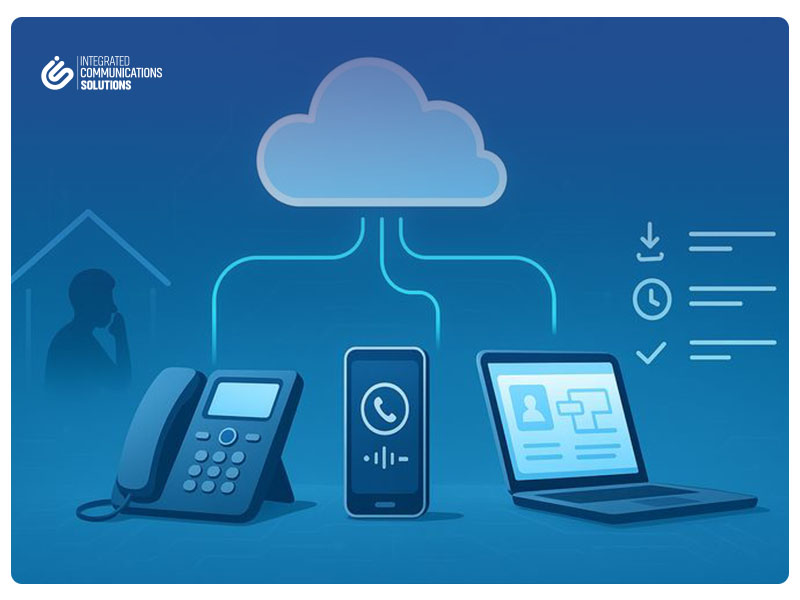
In sales, timing is often the difference between a converted lead and a missed opportunity. A lead that receives a call in the right window is more likely to engage than one contacted hours later.
Auto dialers improve sales conversion in several ways:
Lead follow-up
When a prospect fills out a form, requests a quote, or shows interest in a product, the system can push that lead into a call queue immediately. This reduces response time and improves first-contact success.
Offers and campaign outreach
For promotional campaigns, product launches, and seasonal offers, auto dialers help teams call targeted lists in a structured way. Managers can segment by industry, lead source, location, or previous interaction.
Upsell and cross-sell
Existing customers are usually easier to convert than new ones, but only when teams have the right context. When dialers connect with a CRM System for Businesses, agents can see account history, previous purchases, service status, and open opportunities before speaking.
This is where Integrated CRM Solutions add real value. The dialer does not just place calls. It helps teams take action based on current customer data.
Businesses looking to modernize customer service should explore the key cloud contact center benefits before investing in a new communication system.
Collections Use Cases: Reminders, Payment Scheduling, and Overdue Reduction
Collections operations need structure more than volume. Calling more people does not always improve recovery. Calling the right people, at the right time, with the right script, does.
Auto dialer workflows support collections by helping teams:
- send payment reminder calls before due dates
- prioritize overdue accounts by aging or amount
- route high-value accounts to experienced agents
- capture outcomes such as no answer, dispute, callback, or payment commitment
- schedule follow-up calls based on customer promises
For collections managers, the real gain is operational discipline. Instead of ad hoc follow-up, every account moves through a defined path. This improves consistency and helps reduce overdue balances over time.
When connected to Customer Service Solutions for Businesses or back-office collections platforms, the dialer can trigger the next step automatically, such as sending a reminder message, creating a follow-up task, or updating payment status.
A reliable cloud contact center software helps businesses manage inbound and outbound calls, monitor team performance, and improve customer support from one platform.
Renewals Campaigns: Reducing Churn with Structured Dialing
Many companies lose customers not because the service failed, but because renewal outreach was late, inconsistent, or poorly timed.
Structured dialing improves renewal campaigns by:
- identifying accounts nearing expiry
- prioritizing customers by value or risk
- assigning specific call windows
- tracking renewal objections
- creating follow-up sequences for undecided customers
This is especially useful for subscription services, B2B support contracts, maintenance agreements, memberships, and recurring service models. A well-managed renewal campaign reduces churn and protects recurring revenue.
For businesses using a Customer Service Platform, renewal data and call activity should sit in the same workflow. That gives managers a clearer view of who renewed, who needs follow-up, and where the process is breaking down.
Before choosing the right communication solution, it is important to understand the cloud contact center vs traditional call center comparison and how each option affects cost, flexibility, and customer experience.
Customer Onboarding Calls for New Sign-Ups
The first call after sign-up sets the tone for the customer relationship. If onboarding is delayed or inconsistent, customers become inactive early.
Auto dialers help onboarding teams contact new sign-ups faster and with better consistency. Typical onboarding calls include:
- welcome calls
- setup guidance
- product activation assistance
- document verification reminders
- service usage education
This is where outbound calling supports customer experience directly. It is not only about sales. It is about reducing confusion, increasing activation, and helping customers reach value faster.
For organizations building stronger Customer Experience Solutions, onboarding calls are often one of the simplest ways to improve satisfaction early in the journey.
Order and Appointment Confirmations to Reduce No-Shows
No-shows create hidden operational costs. Sales appointments get missed. Service visits are delayed. Delivery teams lose efficiency. Clinics, field teams, financial service providers, and support operations all feel the impact.
Auto dialer campaigns can reduce this by automating confirmation and reminder calls for:
- appointments
- consultations
- service visits
- deliveries
- payment dates
- scheduled callbacks
These campaigns work best when they are tied to real-time business data. If an order changes or an appointment is rescheduled, the call queue should update automatically. That is why dialers work best as part of broader Call Center Solutions for Businesses, not as stand-alone tools.
Companies that handle a high volume of customer calls can improve response speed and service quality by using a cloud contact center to manage conversations more efficiently.
Which Dialer Type Fits Each Scenario?
Not every outbound campaign needs the same dialing mode. Choosing the right type matters.
Power dialer
Best for high-value conversations where agents need time to review the record before each call.
Use it for:
- B2B sales
- upsell campaigns
- renewal calls
- sensitive collections cases
Progressive dialer
Calls the next number only when the agent is ready. Good for balanced productivity and controlled pacing.
Use it for:
- onboarding calls
- appointment confirmations
- standard collections follow-up
- service quality callbacks
Predictive dialer
Dials multiple numbers using pacing logic to maximize agent talk time. Best for high-volume campaigns with larger teams.
Use it for:
- large reminder campaigns
- broad promotional outreach
- high-volume soft collections
The right choice depends on list quality, campaign goals, agent skill level, and compliance needs. A good Cloud Contact Center Company should help businesses match dialing logic to the actual operation, not sell one mode for every use case.
Integrating Dialers with CRM and Collections Systems to Turn Calls into Actions
A dialer becomes much more valuable when it is connected to the systems your teams already use. Without integration, agents still waste time switching tabs and updating records manually.
With proper integration, the workflow becomes simpler:
- the dialer pulls the right contact list
- the agent sees relevant account details before the call
- the outcome is captured immediately
- follow-up tasks are created automatically
- managers get live reporting across teams
This is why businesses often combine dialers with CRM System for Businesses, collections tools, and broader Contact Center System for Businesses platforms. The call is no longer a separate activity. It becomes part of a connected business process.
For Saudi organizations focused on digital transformation, integrated calling supports the larger goal of reducing manual work, improving data quality, and creating faster service operations.
Script Playbooks by Scenario: Sales vs Collections

A good dialer increases reach. A good script improves results.
Sales scripts should focus on:
- quick qualification
- clear value
- next-step commitment
- objection handling
- offer relevance
Collections scripts should focus on:
- respectful tone
- account verification
- due amount clarity
- payment options
- commitment capture
The mistake many companies make is using one generic script for every campaign. That lowers conversion and creates poor customer experiences.
Instead, build playbooks by scenario. For example:
- new inbound lead follow-up
- overdue invoice reminder
- renewal reminder
- onboarding welcome call
- appointment confirmation
- upsell after recent purchase
Each script should include opening lines, verification steps, key questions, objection responses, and next-step actions.
Our Services
Explore ICS solutions for cloud contact centers, CRM, auto dialers, WhatsApp automation, and marketing technology tools.
QA and Compliance: Keeping Calls Professional and Consistent
More calls should not mean lower quality.
Quality assurance is essential for any dialer operation, especially in organizations handling regulated communication, sensitive customer data, or high-value customer relationships.
A strong QA process should cover:
- greeting quality
- accuracy of information
- tone and professionalism
- script adherence
- proper outcome logging
- escalation handling
- compliance checks
Managers should review recordings, score calls, and coach agents using real examples. This keeps performance consistent and protects the brand experience.
For enterprise teams, this is where dialers connect naturally with broader Customer Service Platform and Contact Center Solutions strategies.
Key Reports That Matter
The best dialer campaigns are managed with clear reports, not assumptions.
Key performance metrics include:
Connect rate
How many calls reached a live person.
Conversion rate
How many calls resulted in the target outcome, such as a sale, scheduled payment, or renewal.
PTP rate
In collections, this means promise-to-pay rate.
Recovery rate
How much overdue value was actually recovered.
Other useful reports include:
- answer rate
- average handling time
- contact attempts per account
- callback completion rate
- lead response speed
- agent productivity by campaign
These reports help managers adjust list strategy, staffing, scripting, and follow-up timing.
Common Mistakes in Sales and Collections Dialer Operations
Many businesses invest in the tool but still underperform because the process is weak.
Common mistakes include:
- using outdated or poorly segmented contact lists
- choosing the wrong dialer mode for the campaign
- failing to integrate with CRM or collections systems
- using one script for very different customer scenarios
- measuring call volume without measuring outcomes
- ignoring QA and coaching
- delaying follow-up after lead capture
- treating dialers as a stand-alone tool instead of part of Digital Transformation Solutions
The fix is usually operational, not technical. Better campaign logic often improves results faster than adding more agents.
Quick Steps to Launch a Successful Dialer Campaign
- Define the business goal clearly.
Is the campaign focused on sales conversion, collections recovery, renewals, onboarding, or confirmations? - Segment the contact list.
Group contacts by status, priority, value, and expected script path. - Choose the right dialer mode.
Match power, progressive, or predictive dialing to the campaign objective. - Connect the dialer to your core systems.
This may include CRM, payment systems, case records, or service workflows. - Build scenario-based scripts.
Different goals need different talk tracks. - Set reporting before launch.
Track connect, conversion, PTP, recovery, and quality from day one. - Review and optimize weekly.
Improve lists, scripts, pacing, and callbacks based on actual data.
FAQs
How does auto dialer software improve lead conversion?
It improves lead conversion by reducing response time, automating repetitive dialing, helping agents reach more qualified leads, and connecting call activity with CRM data and follow-up actions.
Is auto dialer software only useful for sales teams?
No. It is also highly useful for collections, renewals, onboarding, reminder campaigns, and appointment confirmations.
Which dialer type is best for high-value leads?
A power dialer is often the better choice because it gives agents time to review customer data before each call.
Can dialers work with CRM platforms?
Yes. The best results usually come when dialers are integrated with CRM platforms, collections tools, and other customer management systems.
What should businesses track in dialer campaigns?
The most important reports usually include connect rate, conversion rate, promise-to-pay rate, recovery rate, callback completion, and agent productivity.
Understanding how auto dialer software improves lead conversion is really about understanding how better call workflows improve business outcomes. When dialing is connected to CRM data, campaign logic, reporting, and quality control, sales and collections teams work faster and more effectively.
For Saudi organizations looking to strengthen customer engagement and operational efficiency, this is a practical step within a broader digital transformation roadmap. If your business is exploring smarter outbound workflows, ICS can help you assess the right mix of dialer, CRM, and contact center capabilities for your operation.